
Documentation
Proof your monitoring caught it
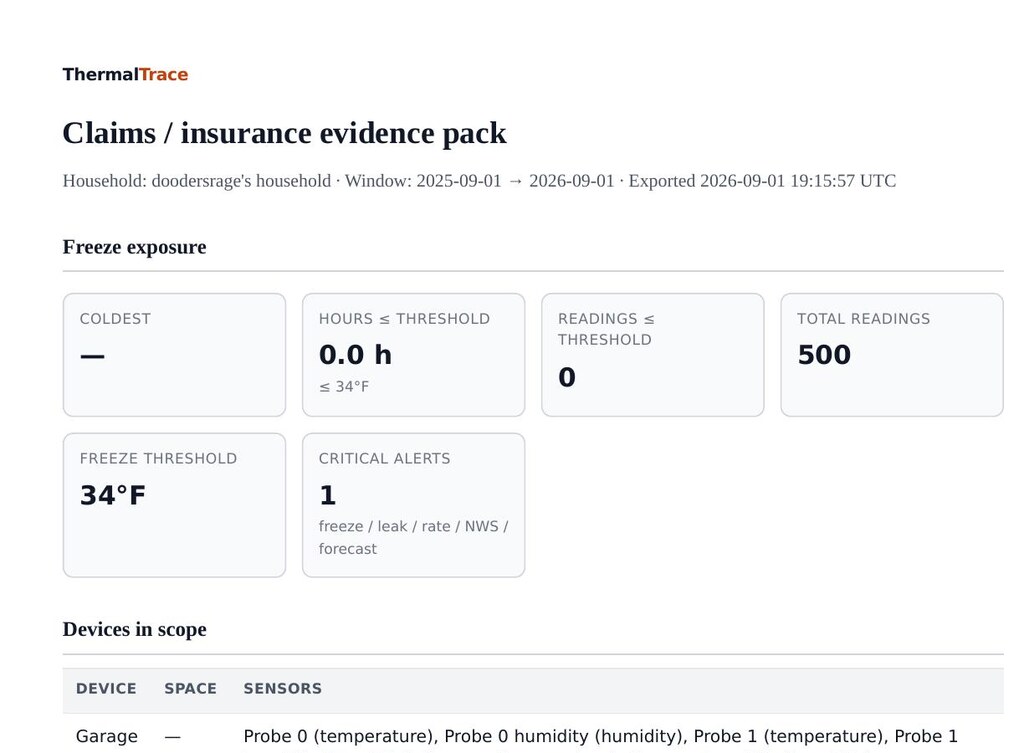
A pipe freeze or a leak doesn't wait for a good time. The claims pack turns your ThermalTrace history into a single report: freeze-exposure stats, device and probe tables, and a timeline of every alert: built for a claim, a dispute, or just having the paper trail before you need it.
What's in the pack
One printable HTML/PDF report, generated on demand from your own sensor history for any date range.
- Freeze-exposure stats: hours spent at or below your alert threshold, and the coldest reading in the window.
- Device and probe tables, every sensor that reported in the range, with the space it's assigned to.
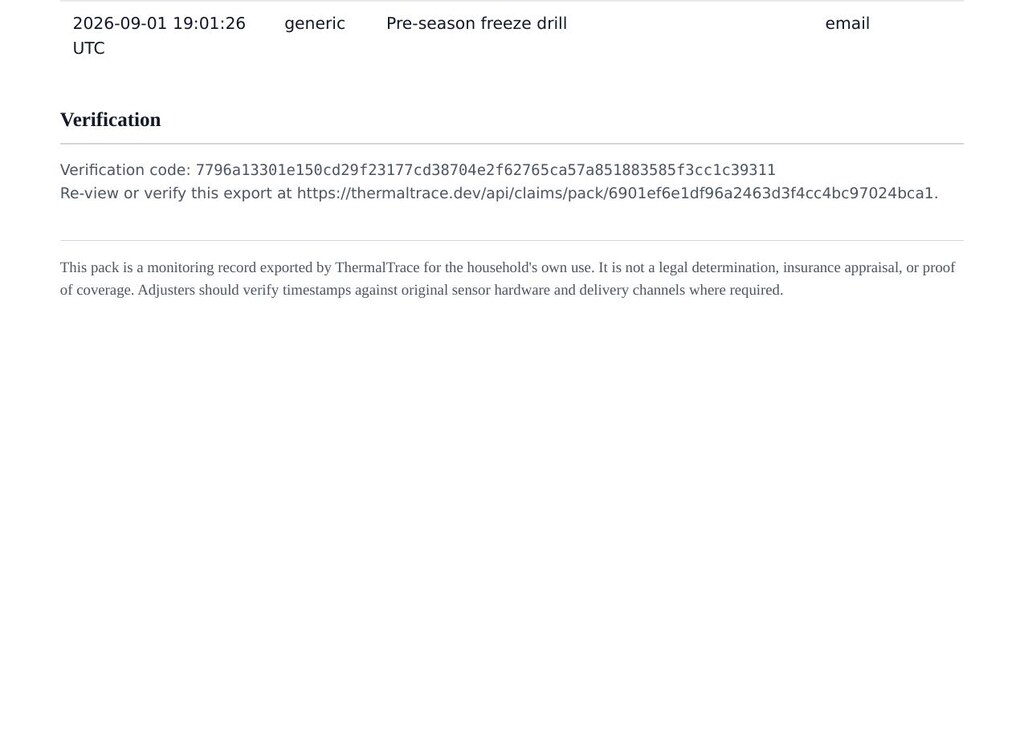
- Critical-alert timeline, every threshold-crossing alert that fired, with timestamps.
- Linked CSVs: the underlying readings and alert-event exports, for an adjuster who wants the raw data.
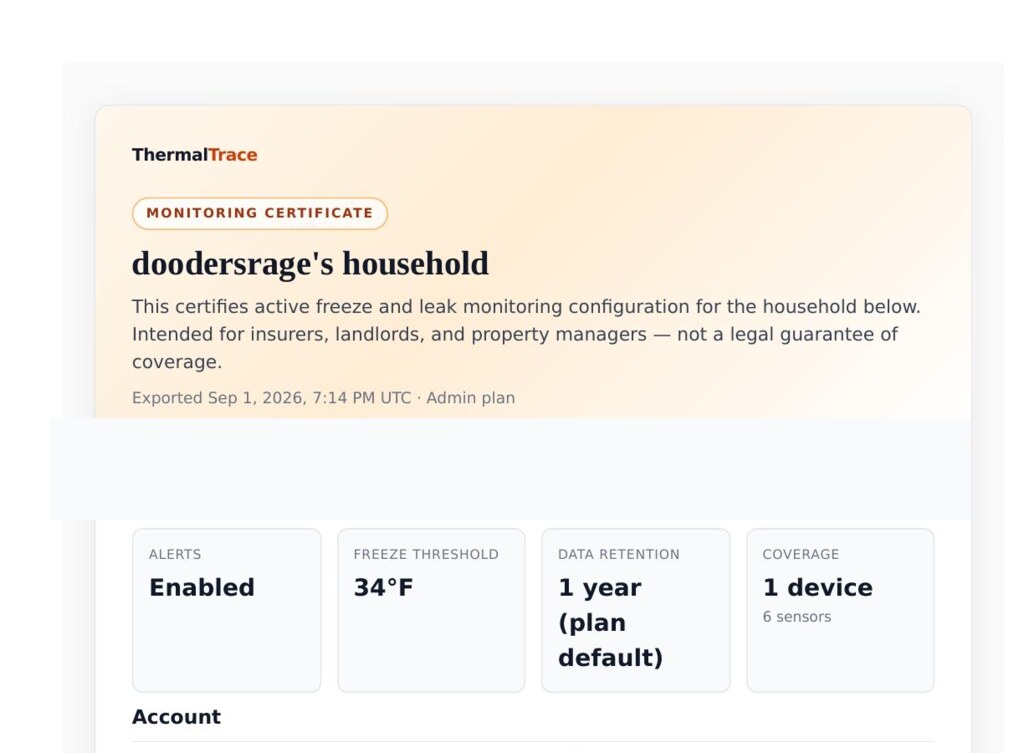
- Monitoring certificate: a shorter configuration summary (threshold, channels, retention) useful for landlords and carriers who want proof you’re actively monitoring.
Who it's for: documenting an active freeze or leak claim, backing up a dispute over when a failure started, or just having a record on hand, even if you never end up needing it.
What to tell an adjuster
Keep it short. Hand them the pack (or the email link) and cover these points:
- We monitor this space continuously. Probes report into ThermalTrace; freeze and leak alerts were enabled for the household before the loss window.
- Here is when we knew. The alert timeline shows timestamps for threshold crossings and wet contacts; the SHA-256 footer verifies this export has not been edited.
- Here is the raw trail. Linked CSVs are the same readings and alert events behind the summary tables, for anyone who wants to re-plot the cold stretch.
- Ask about monitoring credits separately. The pack documents what was watched; any carrier discount is a policy question, not a ThermalTrace guarantee.
Near-miss, not just after-the-fact
History is what makes an alert actionable, and what you’d show an adjuster later. In our Columbus pipe near-miss, the alert was the tip; CSV history showed the same cold corner every clear night until the door seal was fixed. A claims pack is the same idea packaged for a third party: timestamps, probes, and alerts in one verifiable export.
Built to hold up, not just print out
A one-time download can get lost in a downloads folder or edited before anyone sees it. Every claims pack you generate is also saved as a durable, tokenized export: it gets a permanent link and a SHA-256 verification code computed over its contents.
- Reopen the link any time to see the exact report that was generated, not a live, possibly-changed view.
- The verification code lets you or an adjuster confirm the report matches what was originally sent.
- Email it directly to an adjuster's inbox from your dashboard, with the link built in.
Ask your insurer about it
Some carriers already discount homes with protective or monitoring devices, for example, State Farm’s homeowners discounts page lists credits for eligible protective / home monitoring systems (availability varies by state), and Lemonade’s New York homeowners guide notes that a water leak sensor can help lower a rate. ThermalTrace doesn't have a formal partnership with any insurer today, so treat this as a conversation starter rather than a promised discount: bring your claims pack or monitoring certificate, ask whether monitoring like this qualifies on your policy, and let your carrier tell you what they actually offer.
This pack is a monitoring record exported by ThermalTrace for the household's own use. It is not a legal determination, insurance appraisal, or proof of coverage. Adjusters should verify timestamps against original sensor hardware and delivery channels where required.
How to generate one
- Connect at least one probe and let ThermalTrace collect a bit of history (freeze alerts work from day one; the claims pack covers whatever range you've been monitoring).
- Upgrade to Pro if you haven't already: the claims pack is a Pro feature. Already on Free or Member with a recent freeze? Readings still inside your 7 days / 90 days window stay stored; Pro unlocks the pack over that retained history (and extends how far back you can reach going forward).
- From History → claims pack, pick a date range and download the pack, or send it straight to an adjuster's email.
Frequently asked questions
Straight answers on what the pack is, and isn't.
Is the claims pack a legal document?
This pack is a monitoring record exported by ThermalTrace for the household's own use. It is not a legal determination, insurance appraisal, or proof of coverage. Adjusters should verify timestamps against original sensor hardware and delivery channels where required.
What plan is the claims pack on?
The claims pack is a Pro (and Portfolio) feature. Free and Member plans can still see live readings and history, but generating and emailing a claims pack requires Pro.
If I’m on Free or Member and something just froze, can I upgrade and still build a pack?
Yes, as long as the readings are still inside your plan’s history window. Free keeps about 7 days; Member about 90 days; Pro about 1 year+. Upgrading does not wipe stored readings: anything still within the longer Pro window becomes available for charts, CSV, and the claims pack. Upgrade promptly if you need a pack that reaches further back than your current plan shows.
Can I send this directly to my insurance adjuster?
Yes. From your history page you can either download the report to attach to your own email, or send it directly to an adjuster's email address from ThermalTrace. Either way, the recipient gets a durable link they can reopen and re-verify later.
What makes an export "verifiable"?
Every generated pack is saved with a SHA-256 hash of its contents and a permanent link. Reopening that link re-renders the exact data that was exported and shows the same verification code, so anyone holding the link can confirm the report hasn't been altered since it was generated.
Will using this get me a discount from my insurer?
Maybe: it depends on the carrier and state. For example, State Farm lists homeowners discounts for eligible protective / home monitoring devices on its public discounts page, and some carriers (including Lemonade in certain markets) list water-leak or temperature-alert devices among safety measures that can lower a premium. ThermalTrace doesn't have a formal partnership with any insurer today. Bring your claims pack or monitoring certificate, ask whether monitoring like this qualifies on your policy, and let your carrier tell you what they actually offer.